

Creating an Alias
Creating an Alias
An email alias (nickname) is an additional virtual email address that is linked to a primary mailbox. All emails sent to your alias are automatically delivered to your primary mailbox.
To create an alias for your mailbox, go to the Atria panel and log in with your administrator account.
Next, open the list of your users in the Users section and click on the target mailbox that needs an alias.
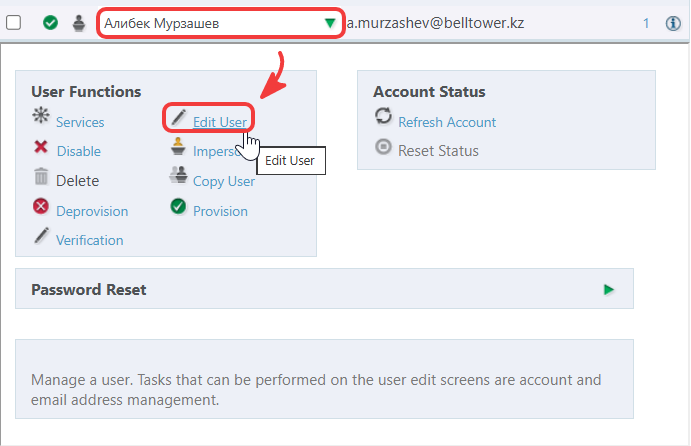
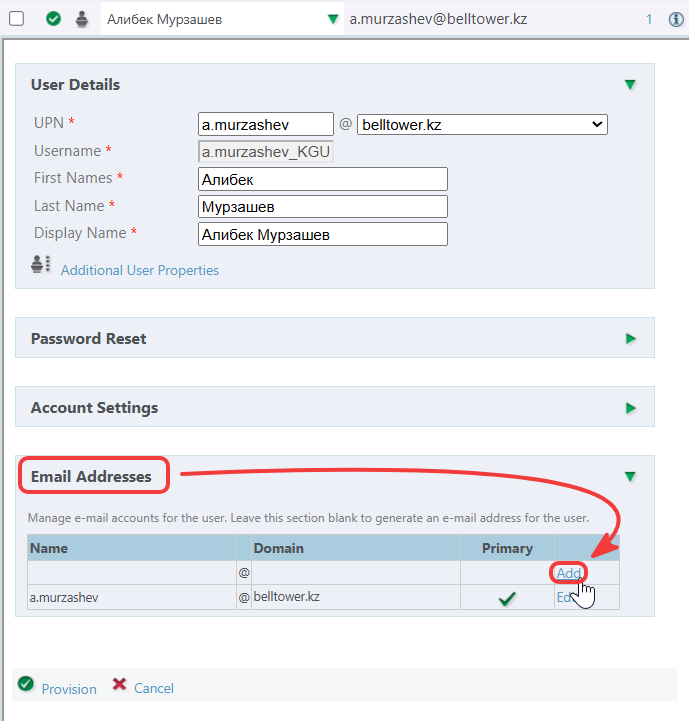
Expand the Email Addresses window and click Add
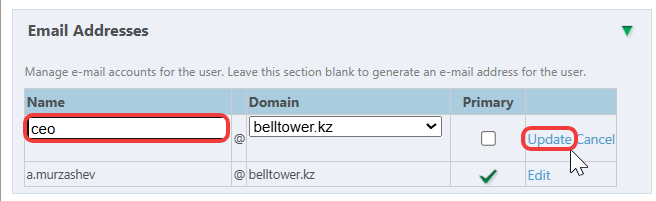
In the Name field, enter the name of your alias, then click Update
To save and apply the settings, click the Provision button.
The alias creation process is now complete!
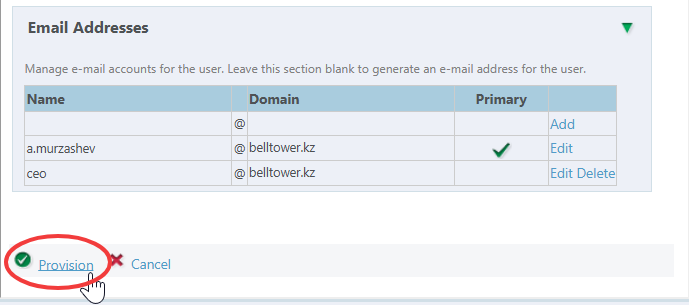
In this example, all incoming correspondence addressed to the alias "ceo@belltower.kz" will be automatically routed to the user's primary mailbox — "a.murzashev@belltower.kz".